1st: TP link TL-WA854RE range extender
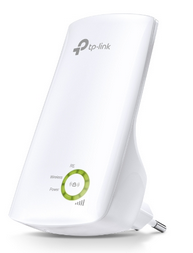
After I shut down the 'Helium' access point (TP link WA801ND V2) I had a few dead spots in some of the extremities of the building. For some reason I still had a TP link TL-WA845RE range extender which I never used. I plugged it into a socket close to the router, logged in on it's webserver and pointed to my Newton access point. The WA854 was from 2015 and supported only the 2.4 GHz band. In hindsight I could have just used the WPS button, but I forgot about that. The results were the same: Newton got copied, the SSID remained the same and so did the password. The signal got a lot stronger. So after that, I moved the repeater to the third floor. It immediately picked up the weak Newton and transmitted a new 'Newton' signal, which was at least 5 times better.
This was an experiment worth doing. But my Archer C1200 router emits two WLAN signals: a 2.4 GHz and a 5 GHz channel. And I wanted both channels available everywhere in the house. So I started looking around for options. And then I ran into the...
TP link RE200 range extender
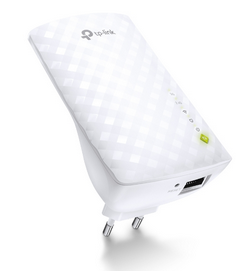
After the very disappointing netgear experience and the very good results with the WA854RE, I spent some time on the TP link website and ran into the RE 200 webpage. Hook, line and sinker. This was what I was looking for. And it was cheap too (less than $30) so I ordered one at MeGekko.nl. It arrived the next day...
The box of the new RE200 was even smaller than the WA854's box, and after unpacking it conformed that the RE200 also was even smaller than the WA854. After reading up on the new device I watched some youtube stuff as well. Normally I install by logging on to the internal webservers. This time I opted for using the WPS method. The procedure was easy:
The WPS setup installed just about everything, even the WLAN passphrases. The only thing I changed was the SSID names:
Next thing was installing the RE200 at the maximum distance that it still worked good. Remember that the router
WLAN signals need to travel through two rebar strengthened 30 cm thick concrete floors under a 45 degree angle, a
lot of furniture and some metal heating equipment. So I went upstairs, removed the WA854 from its (almost) ceiling
mounted power socket on the third floor, inserted the RE200 and that is where it has been sitting ever since.
The new signals are copies of the original Archer C1200 WLAN signals albeit much stronger. Suddenly the bedside
Lenovo tablet responds much quicker and more reliably while doing things on the web.
Why the new SSID names?
When using the WA854 repeater, I noticed that (at least) my Asus X415 had trouble choosing which 'Newton' signal to choose from. And so did the human in the house. So I opted for a slightly different name. It seems to work. I'm very satisfied with this. Thanks, mrs TP Link.
Dead after 9 months
Mid april 2024 the RE200 ceased to be. The LEDs lit up randomly and there was a faint beep coming from the thing. It could not be accessed in a webbrowser. It showed not in the DHCP list of the router. It was dead. I replaced it by a NetGear EAX12 repeater which LOOKS to be better. but it has been working for less than a day so it might be coincidence and certainly premature.